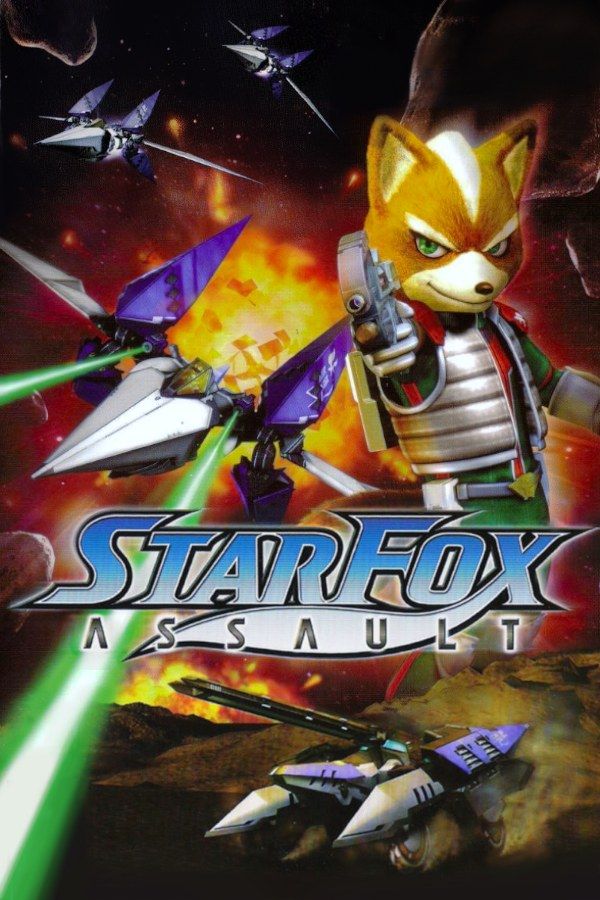
Namco developed this 2005 Star Fox game for Nintendo. Fox McCloud and his team, with Krystal now flying alongside Falco and Slippy, go up against the Aparoids, a race of insect-like machines. The missions switch between three ways to fight: dogfights in the Arwing, ground battles in the Landmaster tank, and firefights on foot. If you own the game, Nagori lets you play it on iPhone and iPad.
What you need
- An iPhone 12 or newer, or an iPad with an A14 chip or newer, with iOS 17.6 or later.
- Nagori from the App Store. Your first game is free.
- A disc image of your copy of Star Fox Assault:
.iso,.gcm,.rvz,.cisoor.gcz, or a.zipor.rarcontaining it. The game fits on a single disc.
No BIOS file is needed.
How to play Star Fox Assault on iPhone
- Install Nagori from the App Store.
- Copy your Star Fox Assault disc image to the Files app, in iCloud Drive or On My iPhone.
- Open Nagori, tap + and select the file. Add GameCube games from inside Nagori: the Files app’s Open in menu doesn’t hand formats like
.rvzand.gcmto Nagori. - Find Star Fox Assault on the GameCube shelf and press Play.
- Switch to a touch layout with sticks. The default Standard layout has no stick, and you steer every vehicle with one. Pause, open Settings → Touch Layout and choose Twin Sticks, which puts every GameCube input on screen, including the C-stick. With a controller connected, you can skip this step.
Controls
The control stick flies the Arwing, drives the Landmaster and moves Fox on foot, so it’s the input you’ll use most. If you’d rather have one large stick for flying, Stick Focus gives you that, at the cost of the C-stick.
The shoulder buttons sit in the top corners of the touch layouts, a long reach on a phone held sideways. Open Edit Layout in the pause menu and drag L, R and Z down toward your thumbs.
A controller suits a game that changes vehicles mid-mission. Bluetooth controllers that iOS supports work, including DualSense, DualShock 4 and Xbox controllers. A is the bottom face button, B the left one, X the right one and Y the top one. Z is on the right shoulder button, L and R are the triggers, and the right stick is the C-stick. Pressing the left stick opens Nagori’s pause menu. L and R register as full presses, and GameCube games don’t vibrate in Nagori.
Three ways to fight, one save state
Star Fox Assault is played mission by mission, and a single mission can ask you to fly, drive and fight on foot. If one part keeps beating you, such as a boss or a long stretch in All-Range Mode, where you fly freely around the battlefield, you don’t have to replay everything before it:
- Pause and choose Save just before the part that’s giving you trouble.
- Load to try it again as many times as you need.
Nagori keeps your last four saves per game, so you can keep a save from earlier in the mission as well.
Saves: memory card
Star Fox Assault keeps the missions you’ve cleared on the memory card, which works in Nagori as it did on the console. It stays inside the app, though: it isn’t in the Files app, isn’t part of Export Saves and doesn’t sync to iCloud. Leave the app mid-mission and Continue puts you back exactly where you were.
Treat the memory card as your main save: a save state may not load after some Nagori updates.
Versus isn’t available
Versus lets up to four players battle on a split screen, on foot or in vehicles. Nagori plays GameCube games with one player, so Versus isn’t available. The story missions are single-player.
Best settings
Open the pause menu and go to Settings → Quality. Medium, the default, is the place to start, and Low keeps the device coolest. Dogfights are easier to follow with smooth motion, so on the newest iPhones and iPads try High, and step down if it gets warm. Nagori shows GameCube games at their original resolution, and Full Screen stretches the picture to fill the display.