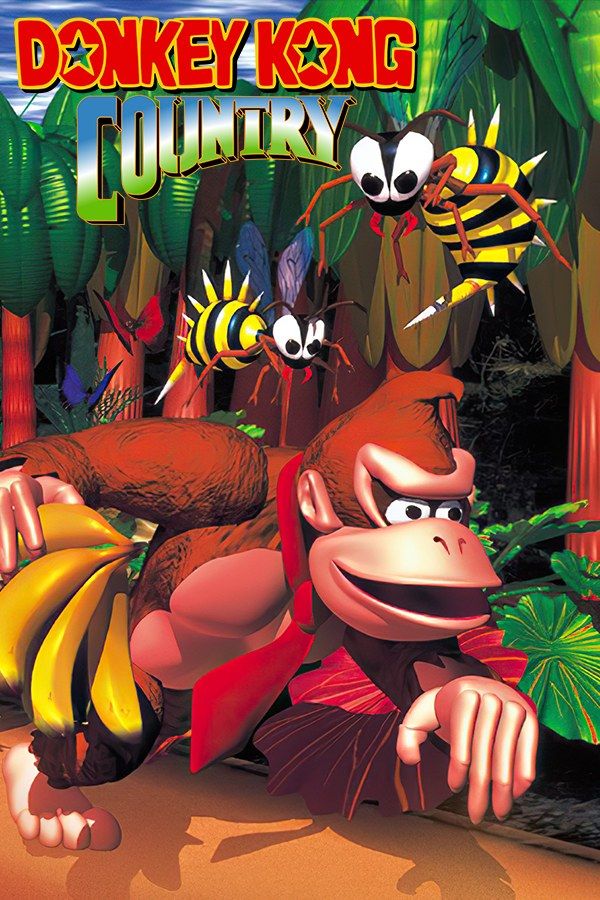
This Donkey Kong Country is Rare’s 2003 Game Boy Advance version of its 1994 Super NES platformer, published by Nintendo. King K. Rool and the Kremlings have stolen Donkey Kong’s banana hoard, and Donkey Kong and Diddy Kong cross Donkey Kong Island to win it back. The GBA version keeps the original adventure and adds new minigames. If you own it, Nagori lets you play it on iPhone and iPad.
What you need
- An iPhone or iPad with iOS 17.6 or later.
- Nagori from the App Store. Your first game is free.
- The game file of your copy of the Game Boy Advance version of Donkey Kong Country in
.gbaformat, or a.zipor.rarcontaining it.
No BIOS file is needed. Nagori doesn’t play Super NES games, so the 1994 cartridge version won’t work.
How to play Donkey Kong Country on iPhone
- Install Nagori from the App Store.
- Copy your Donkey Kong Country
.gbafile to the Files app, in iCloud Drive or On My iPhone. - Open Nagori, tap + and select the file. If the game is in a
.zipor.rar, add the archive as it is and Nagori unpacks it. - Find Donkey Kong Country on the GBA shelf with its box art and press Play.
Controls
Donkey Kong Country runs on momentum. You hold one button to run, tap it to roll into enemies, and press the other to jump, often both at once to clear a long gap. You play one Kong at a time while the other follows. If the Kong you control gets hit, the other takes over, and breaking open a DK Barrel brings the missing one back.
Since running and jumping go together, both buttons need to sit under one thumb. On the Standard touch layout, open Edit Layout in the pause menu and drag A and B close together, so your right thumb can hold one and press the other.
A controller makes the long runs easier. Bluetooth controllers that iOS supports, including DualSense, DualShock 4 and Xbox controllers, work with Nagori. The left stick works as the D-pad too, and pressing it opens the pause menu.
Saves
Donkey Kong Country keeps your progress on the cartridge. Nagori stores that save automatically, and adds more:
- Quit any time. Leave the app mid-stage and Continue puts you back where you were.
- Save states. Pause and choose Save at any point and Load to go back to it. Nagori keeps your last four saves per game.
- iCloud. Save to iCloud and Load from iCloud move your progress between your iPhone and iPad.
Animal Buddies and the hard stages
Crates along the way free the Animal Buddies. Rambi the rhino charges through enemies, Enguarde the swordfish fights underwater, Winky the frog jumps high, Expresso the ostrich runs and glides, and Squawks the parrot lights the way in a dark stage.
The stages that cost the most lives are the mine cart rides and the long chains of barrel cannons, where one late press sends you off the screen. Make a save state just before the hard part, and a new one each time you get further. Slow Motion runs the game at half speed, which helps you learn the timing of a barrel cannon chain before you play it at full speed. Bind it to a controller button in the pause menu, or add the ×0.5 button to My Layout.
Each stage also hides the letters K, O, N and G, which give you an extra life when you collect all four, and bonus rooms that count toward your completion.
Best settings
The game’s graphics were made from pre-rendered 3D models, which stood out in 1994.
- Picture Smoothing softens their pixel edges. Turn it off for the crisp pixels of the Game Boy Advance screen.
- Full Screen stretches the picture. Leave it off to keep the GBA’s 3:2 shape.
- Screen Effects → CRT Screen adds scanlines, closer to how the Super NES original looked on a TV.







