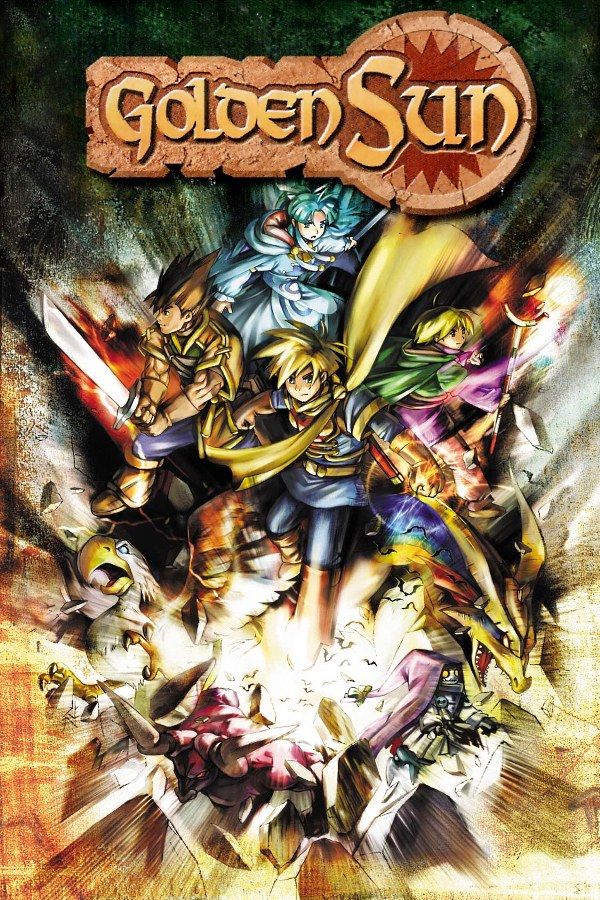
Golden Sun is an RPG from Camelot Software Planning, published by Nintendo for the Game Boy Advance in 2001. You play Isaac, a young Adept from the village of Vale, who sets out with his friend Garet after the Elemental Stars are stolen from Sol Sanctum. Psynergy, the party’s elemental power, also moves pillars and clears paths outside battle, and Djinn change your characters’ classes and call Summons. If you own the game, Nagori lets you play it on iPhone and iPad.
What you need
- An iPhone or iPad with iOS 17.6 or later.
- Nagori from the App Store. Your first game is free.
- The game file of your copy of Golden Sun in
.gbaformat, or a.zipor.rarcontaining it.
No BIOS file is needed.
How to play Golden Sun on iPhone
- Install Nagori from the App Store.
- Save your Golden Sun
.gbafile in the Files app, in iCloud Drive or On My iPhone. - Open Nagori, tap + and pick the file. Nagori copies it into its library, so the original can go.
- Find Golden Sun on the GBA shelf and press Play.
Controls
Golden Sun is played through menus, and battles are turn-based, so the Standard touch layout works for the whole game: the D-pad to walk, A to talk, search and confirm, B to back out.
You walk diagonally as well as straight, and Psynergy puzzles ask you to stand in the right spot, facing the right pillar or puddle, before you cast. If diagonals feel fiddly, open Edit Layout in the pause menu, pinch the D-pad bigger and drag it a little away from the screen edge.
Bluetooth controllers that iOS supports work too, including DualSense, DualShock 4 and Xbox controllers, and the left stick doubles as the D-pad.
Fast Forward for battles and Djinn hunts
Golden Sun has random battles on the world map and in dungeons, and every Summon plays a long animation. Fast Forward runs the game at twice the speed, which helps when you grind levels, walk back for a Djinni you missed, or read long conversations. With turn-based battles, double speed makes a fight shorter, not harder. Bind it to a controller button, or add the ×2 button in My Layout.
Saves
Golden Sun saves from its own menu rather than at save points, and Nagori keeps that in-game save automatically. On top of it:
- Continue. Nagori saves the moment you leave, even halfway through a puzzle, and Continue in the game menu takes you back there.
- Save states. Pause and choose Save before you face Saturos at the top of Mercury Lighthouse. If the fight goes wrong, Load and try a different set of Djinn. Nagori keeps your last four saves per game.
- iCloud and backups. Save to iCloud copies your progress to your private iCloud for your iPad, and Export Saves makes a backup copy.
Carrying your party into The Lost Age
Golden Sun ends on a cliffhanger that continues in Golden Sun: The Lost Age, and a finished save can pass your party on to the sequel by link cable or by password. Nagori has no link support, so use the password:
- Finish Golden Sun and save the clear data the game offers after the ending.
- Golden Sun can then show you a password. The longest, the Gold password, carries over the most.
- Enter it when you start a new game of The Lost Age.
The Gold password is long, so take a screenshot of it instead of copying it by hand. Nagori can’t import saves from other emulators, so the cleared save has to be one you made in Nagori.
Best settings
- Picture Smoothing softens the sprites. Turn it off for the GBA’s raw pixels.
- Full Screen stretches the picture. Leave it off to keep the original 3:2 shape.
- Screen Effects add CRT scanlines, a screen curve or bloom, from Off to Strong.
On iPad you can hold the device upright, with the picture on top and the controls below.







