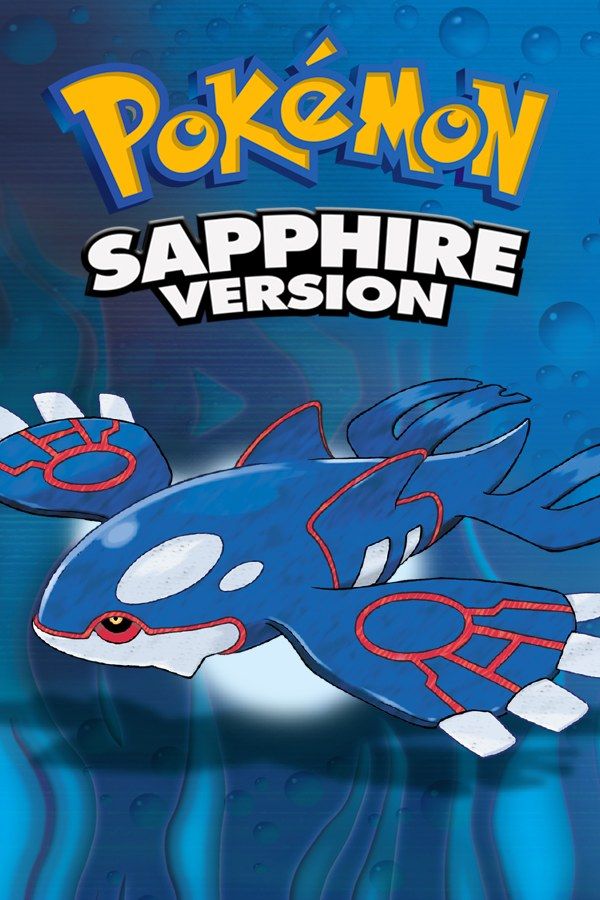
Pokémon Sapphire is Game Freak’s 2002 Game Boy Advance RPG and the counterpart to Pokémon Ruby. You start in Littleroot Town with Treecko, Torchic or Mudkip and travel Hoenn, a region with a lot of open sea, to earn eight badges. In Sapphire, the main villains are Team Aqua, who want to expand the oceans and wake Kyogre, the legendary on the cover. If you own the game, Nagori lets you play it on iPhone and iPad.
What you need
- An iPhone or iPad with iOS 17.6 or later.
- Nagori from the App Store. Your first game is free.
- The game file of your copy of Pokémon Sapphire in
.gbaformat, or a.zipor.rarcontaining it.
No BIOS file is needed.
How to play Pokémon Sapphire on iPhone
- Install Nagori from the App Store.
- Copy your Sapphire
.gbafile to the Files app, in iCloud Drive or On My iPhone. - Open Nagori, tap + and select the file. A
.zipor.rarworks too: Nagori unpacks it and keeps the game. - Find Sapphire on the GBA shelf with its box art and press Play.
Controls
Sapphire needs only the D-pad and the A, B, Start and Select buttons, so the Standard touch layout covers it. A confirms and talks, B cancels, and with the Running Shoes, holding B makes you run. Later in the game you spend a lot of time on water: Surf carries you across it, and Dive takes you under the dark patches of sea.
On iPhone, the 3:2 picture leaves black bars at both sides. Open Edit Layout in the pause menu and drag the D-pad and the A and B buttons into those bars, so your thumbs never cover the map.
Fast Forward runs the game at twice the speed for long sea crossings and training before each gym. Bind it to a controller button, or add the ×2 button in My Layout.
Bluetooth controllers that iOS supports work, including DualSense, DualShock 4 and Xbox controllers. The touch controls hide when one connects, and pressing the left stick opens the pause menu.
Saves
On the cartridge, Sapphire keeps a single save file, written when you pick Save in the Start menu. Nagori keeps that save for you and adds:
- Quit any time. Leave the app mid-Surf or mid-battle, and Continue in the game menu brings you back to that moment.
- Save states before big moments. Pause and choose Save before Kyogre in the Cave of Origin, before Wallace’s Water-type gym in Sootopolis City, or before Rayquaza at Sky Pillar. If it goes wrong, Load and try again. Nagori keeps your last four saves per game.
- Backups and iCloud. Export Saves makes a backup copy, and Save to iCloud lets you continue on your iPad with Load from iCloud.
Sapphire’s exclusive Pokémon
Which wild Pokémon you meet depends on the version. These appear in Sapphire and not in Ruby:
- Lotad, Lombre and Ludicolo
- Sableye
- Seviper
- Lunatone
- Kyogre
Ruby has Seedot, Nuzleaf and Shiftry, Mawile, Zangoose, Solrock and Groudon instead, and on the Game Boy Advance you traded with a friend’s Ruby to get them. Nagori plays GBA games for one player with no link support, so your Pokédex holds only what Sapphire offers. Machoke, Graveler and other Pokémon that evolve by trading stay as they are, and Record Mixing and link battles don’t work either.
Coming from Emerald
If you know Pokémon Emerald, expect a few changes. Wallace is the gym leader in Sootopolis City and Steven is the Champion, and after the Elite Four you take on the Battle Tower instead of the Battle Frontier.
Best settings
- Picture Smoothing gives sprites and text softer edges. Switch it off to keep the raw pixels.
- Full Screen fills the display by stretching the picture. Off keeps the original 3:2 shape.
- Screen Effects → CRT Screen adds scanlines from Off to Strong. The GBA had an LCD, so it’s a matter of taste.







