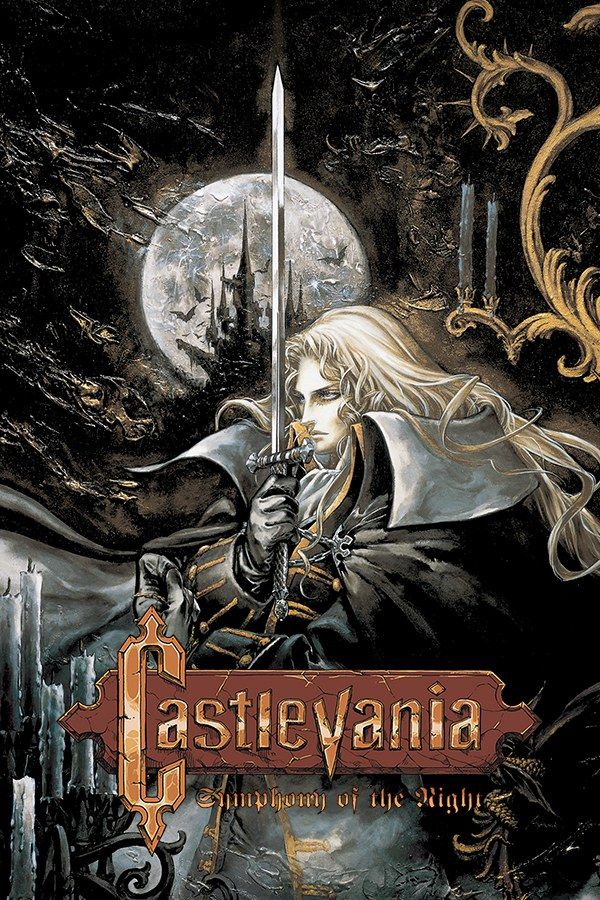
Konami’s 1997 Castlevania casts you as Alucard, the son of Dracula, who wakes when his father’s castle rises again and sets out to explore it. The castle is one large connected map: relics you find, such as the power to turn into a bat, open paths you passed earlier, and Alucard levels up and collects weapons, armor and spells along the way. If you own the game, Nagori lets you play it on iPhone and iPad.
What you need
- An iPhone or iPad with iOS 17.6 or later.
- Nagori from the App Store. Your first game is free.
- A disc image of your copy of Castlevania: Symphony of the Night:
.chd,.cue+.bin,.pbp,.isoor.img, or a.zipor.rarcontaining it. The game fits on a single disc.
No BIOS file is needed.
How to play Castlevania: Symphony of the Night on iPhone
- Install Nagori from the App Store.
- Copy your Symphony of the Night disc image to the Files app, in iCloud Drive or On My iPhone.
- Open Nagori, tap + and select the file. For a
.cueimage, select the.cuetogether with all of its.binfiles, or add the archive they came in. - Find Symphony of the Night on the PS1 shelf with its box art and press Play.
Controls
Symphony of the Night is a 2D game played on the D-pad, so the Standard touch layout fits it: the D-pad on the left, the four face buttons on the right and the shoulder buttons in the top corners. Alucard’s spells are entered like moves in a fighting game, a short run of D-pad directions finished with an attack button, so the D-pad has to be precise. If spells or jumps come out wrong, pause, open Settings → Edit Layout and make the D-pad bigger, or drag it to where your thumb rests.
With a controller, every button sits where it did on the PlayStation pad, and the left stick works as the D-pad too. Press the left stick to open the pause menu.
Saves: save rooms and more
On the PlayStation, Symphony of the Night only saves in the save rooms spread around the castle. In Nagori those saves go to the game’s own memory card, written every few seconds, as they did on the console. On top of that:
- Quit any time. Leave in the middle of a corridor and Continue puts you back exactly where you were.
- Take it to your iPad. Choose Save to iCloud, add your disc on the other device, and pick Load from iCloud in the game’s menu to carry on there.
Bosses and backtracking
The castle rewards wandering, and it makes you walk a lot:
- Save before a boss. Bosses guard many parts of the castle, and losing a fight sends you back to your last save room. Pause and choose Save before you step in, and Load if the fight goes wrong. Nagori keeps your last four saves per game.
- Fast Forward through cleared rooms. New relics send you back through rooms you have already explored. Fast Forward runs the game at twice the speed: pause, open Settings → Fast Forward to put it on a controller button, or show the on-screen ×2 button in Edit Layout.
Best settings
Symphony of the Night is 2D sprite art, so the settings that matter are about pixels, not 3D:
- Quality: Low shows the original pixels, sharp and unfiltered, the way the game draws them.
- Quality: High with Picture Smoothing off keeps the pixels sharp along with the rest of the High settings. On High, Picture Smoothing softens the edges of the sprites; turn it off in Advanced Settings, and Quality then shows Custom.
- Leave Full Screen off so the picture keeps its 4:3 shape and Alucard isn’t stretched.
- Screen Effects → CRT Screen adds scanlines for the look of a 1990s TV.







