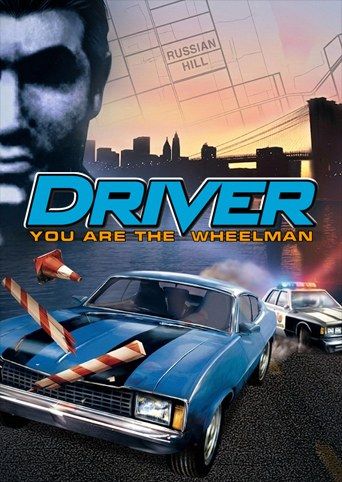
Reflections’ 1999 driving game casts you as Tanner, an undercover cop who takes jobs as a getaway driver to get inside a criminal gang. Its missions are car chases, getaways and tails through Miami, San Francisco, Los Angeles and New York, with the police after you whenever they see you break the law. If you own the game, Nagori lets you play it on iPhone and iPad.
What you need
- An iPhone or iPad with iOS 17.6 or later.
- Nagori from the App Store. Your first game is free.
- A disc image of your copy of Driver:
.chd,.cue+.bin,.pbp,.isoor.img, or a.zipor.rarcontaining it. The game fits on a single disc.
No BIOS file is needed.
How to play Driver on iPhone
- Install Nagori from the App Store.
- Copy your Driver disc image to the Files app, in iCloud Drive or On My iPhone.
- Open Nagori, tap + and select the file. For a
.cueimage, select the.cuetogether with all of its.binfiles, or add the archive they came in. - Find Driver on the PS1 shelf with its box art and press Play.
The garage test
Undercover, the story mode, opens with a driving test in an underground parking garage. You get 60 seconds to pull off a list of moves, among them a burnout, a slalom, a handbrake turn and a 360, and the story doesn’t begin until you pass. It’s famous for stopping players before they ever reached Miami’s streets. Nagori gives you two ways through:
- Save as you go. Each time you complete a move, pause and choose Save. If the next one goes wrong, Load and try it again with the earlier moves still done and the clock where it was. Nagori keeps your last four saves per game, so the newest one is always there.
- Slow Motion. It runs the whole game at half speed, the test’s clock included, so you get twice as long to line up each move. Bind it to a controller button, or add the ×0.5 button to My Layout in Edit Layout. Switch back to normal speed once you’ve passed.
Controls
Driver keeps your hands busy: you steer, accelerate, brake and pull the handbrake, often all at once in a chase. On touch, the Standard layout steers with the D-pad and has every button the game uses. Open Edit Layout in the pause menu and make the buttons you drive with bigger, then move them to where your right thumb rests, so you can find them in a chase without looking down.
With a controller, every button sits where it did on the PlayStation pad, and you can steer with the D-pad or the left stick, which works as the D-pad too. Press the left stick to open the pause menu.
Saves
Saves you make in the game go to Driver’s own memory card in Nagori, written every few seconds. On top of that:
- Save states. A wrecked car or a getaway gone wrong ends a mission. Pause and choose Save partway through a long chase, and Load if it falls apart, instead of driving the whole mission again.
- Quit any time. Leave in the middle of a chase and Continue puts you back exactly where you were, with the police still behind you.
Best settings
- Quality: High, the default, renders the cars and the four cities at twice the original resolution.
- Precise Geometry, in Advanced Settings, steadies the wobble of PS1 polygons, which shows most on buildings and road edges as the camera follows your car.
- Quality: Low keeps the original resolution with sharp, unfiltered pixels, if you want the game exactly as it looked on the console.
- Screen Effects → CRT Screen adds scanlines, closer to how the game looked on a 1990s TV.
European (PAL) discs run at 50 Hz, a little slower than the 60 Hz American version, just as they did on the console.







