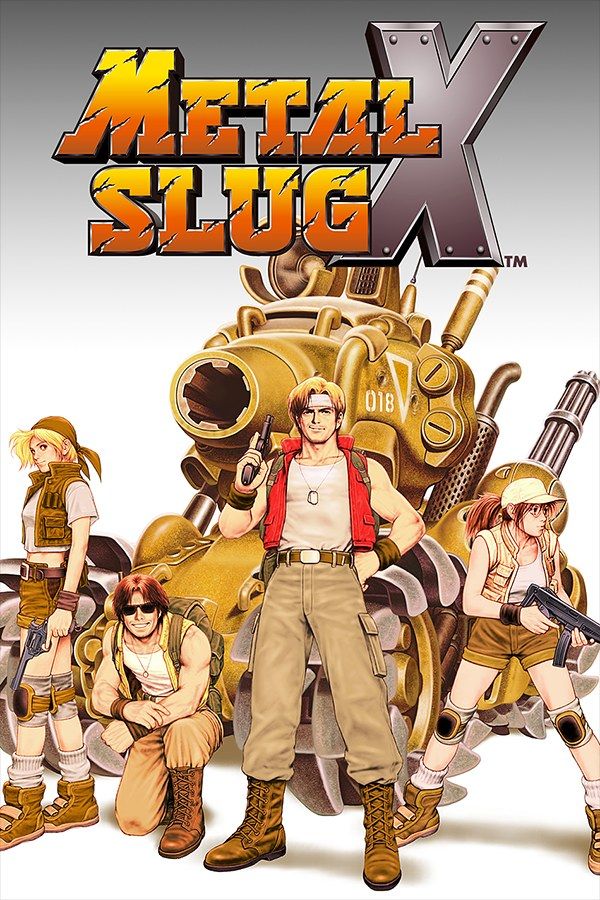
Metal Slug X is SNK’s 1999 reworking of Metal Slug 2, with remixed missions, more weapons and far less slowdown. You run and gun as Marco, Tarma, Eri or Fio, free bearded prisoners who hand over weapons and items, and climb into the vehicles called Slugs, from a tank to a camel. The PlayStation version came out in 2001 and adds a mode of its own, Combat School. If you own the game, Nagori lets you play it on iPhone and iPad.
What you need
- An iPhone or iPad with iOS 17.6 or later.
- Nagori from the App Store. Your first game is free.
- A disc image of your copy of Metal Slug X:
.chd,.cue+.bin,.pbp,.isoor.img, or a.zipor.rarcontaining it. The game fits on a single disc. - For two-player co-op, two Bluetooth controllers.
No BIOS file is needed.
How to play Metal Slug X on iPhone
- Install Nagori from the App Store.
- Copy your Metal Slug X disc image to the Files app, in iCloud Drive or On My iPhone.
- Open Nagori, tap + and select the file. For a
.cueimage, select the.cuetogether with its.binfile, or add the archive they came in. - Find Metal Slug X on the PS1 shelf with its box art and press Play.
Controls
Metal Slug X uses three buttons, shoot, jump and grenade, and the D-pad, which also aims: hold up to fire upward, or hold down in mid-air to fire below you. Close to an enemy, the shoot button attacks with a knife instead. The game is 2D and made for the D-pad, so the Standard touch layout is the right one.
You press shoot almost nonstop, and jump nearly as often. Open Edit Layout in the pause menu, make the shoot button the biggest one and put jump right next to it, so one thumb can rock between them. Grenades are limited, so keep that button a little apart.
With a controller, every button sits where it did on the PlayStation pad, and the left stick works as the D-pad too. Rumble comes through the controller, or through your iPhone with iPhone Vibration in Settings. Press the left stick to open the pause menu.
Two-player co-op
Metal Slug X is built for two soldiers side by side, and Nagori supports two controllers. Connect both and each player picks a character. The touch controls hide while a controller is connected, so this mode needs a controller per player.
Saves: get past one-hit deaths
On foot, a single bullet, blade or blast costs you a life. Inside a Slug you can take a few hits before the vehicle is destroyed. The game doesn’t let you save in the middle of a mission, but Nagori does:
- Save states. Pause and choose Save at the start of a boss fight or a crowded stretch. If it goes wrong, Load and try again with the same lives, weapons and grenades. Nagori keeps your last four saves per game.
- Quit any time. Leave mid-mission and Continue puts you back exactly where you were.
- Slow Motion runs the game at half speed, which helps you learn a boss’s attacks. Assign it to a controller button in the pause menu, or add the ×0.5 button to My Layout.
Anything the game writes to its memory card goes to the game’s own card in Nagori, written every few seconds.
Best settings
- Quality: Low shows SNK’s hand-drawn sprites in their original pixels, sharp and unfiltered.
- Quality: High, the default, smooths the picture. Its double resolution only applies to 3D graphics, and Metal Slug X is 2D.
- Screen Effects → CRT Screen adds scanlines, closer to the arcade cabinet the game started on.
- Leave Full Screen off to keep the 4:3 picture, so the soldiers and Slugs keep their shape.







