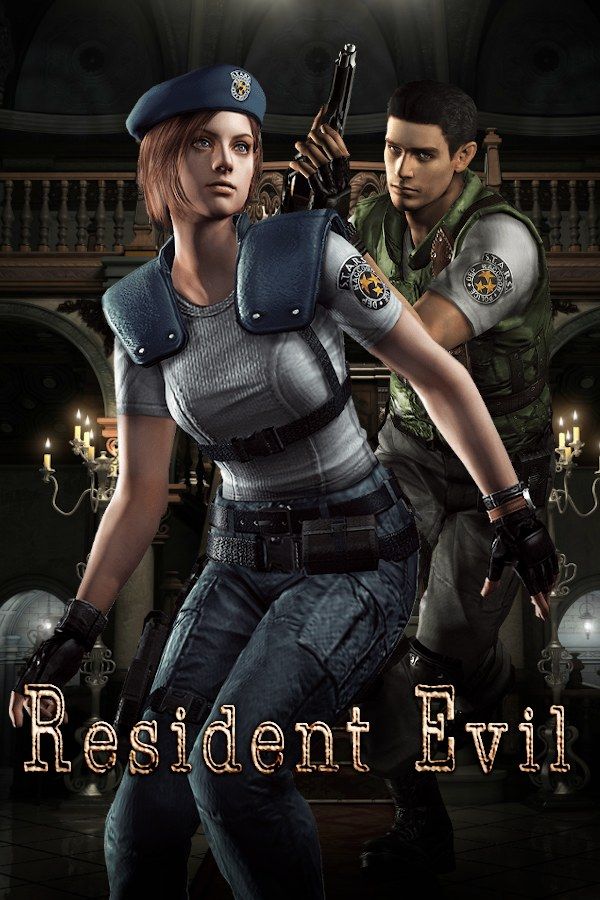
Capcom’s 1996 original starts with a rescue that goes wrong. The S.T.A.R.S. Alpha Team flies into the forest outside Raccoon City to look for the missing Bravo Team, and a pack of zombie dogs drives the survivors into an old mansion. Inside are zombies, locked doors, puzzles and very little ammo. If you own the game, Nagori lets you play it on iPhone and iPad.
What you need
- An iPhone or iPad with iOS 17.6 or later.
- Nagori from the App Store. Your first game is free.
- A disc image of your copy of Resident Evil:
.chd,.cue+.bin,.pbp,.isoor.img, or a.zipor.rarcontaining it. The game fits on a single disc.
No BIOS file is needed.
How to play Resident Evil on iPhone
- Install Nagori from the App Store.
- Copy your Resident Evil disc image to the Files app, in iCloud Drive or On My iPhone.
- Open Nagori, tap + and select the file. For a
.cueimage, select the.cuetogether with all of its.binfiles, or add the archive they came in. - Find Resident Evil on the PS1 shelf with its box art and press Play.
Chris or Jill
Your first choice in the game decides how hard the mansion will be.
- Jill Valentine carries eight items and has a lockpick that opens simple locks. Barry Burton backs her up along the way.
- Chris Redfield carries only six items but can take more hits. Rebecca Chambers, the Bravo Team’s medic, is the teammate he meets.
Jill is the usual pick for a first run. Both explore the same mansion, but the people they meet and the endings differ, and the ending you see depends on who you manage to save.
Controls
Resident Evil uses tank controls: up walks forward, down steps back, and left and right turn on the spot, wherever the camera points. The original release came out before the PlayStation had analog sticks, so the Standard touch layout fits, with the D-pad, the face buttons and the shoulder buttons.
To shoot, you hold a shoulder button to raise your weapon and press the action button to fire. On touch, the shoulder buttons sit in the top corners of the screen. Pause, open Edit Layout and drag the one you aim with right next to the face buttons, so one thumb can hold it and fire.
With a controller, every button sits where it did on the PlayStation pad, and the left stick works as the D-pad too. Press the left stick to open the pause menu.
Saves: no ink ribbons needed
On the PlayStation, you can only save at a typewriter, and each save uses up one ink ribbon you found in the mansion. Run out and you can’t save until you find more. Nagori keeps that system and adds its own:
- Typewriter saves work as before. They go to the game’s own memory card, as on the console.
- Save states. Pause and choose Save anywhere, with no typewriter and no ribbon. Nagori keeps your last four saves per game.
- Quit any time. Leave in the middle of a corridor and Continue puts you back exactly where you were.
Plan your trips from the item box
With six or eight slots, you can’t carry everything. Keys, weapons, ammo and herbs fight for room, and what you leave behind goes into an item box. The boxes are linked: put something in one and you can take it out of any other.
Make a save state before you set off into an unexplored wing with a full inventory, and a bad trip costs you a minute instead of half an hour. Do the same before the big fights, like Yawn, the giant snake, or the Tyrant at the end, and Load if it goes wrong.
Best settings
- Quality: High, the default, renders Chris, Jill and the monsters at twice the original resolution. The rooms are pre-rendered pictures, so they keep their original detail.
- Quality: Low keeps everything at the original resolution, so the characters blend into the backgrounds as they did on the console.
- Precise Geometry, in Advanced Settings, steadies the slight wobble of PS1 polygons on the characters.
- Screen Effects → CRT Screen adds scanlines, closer to how the mansion looked on a 1990s TV.







