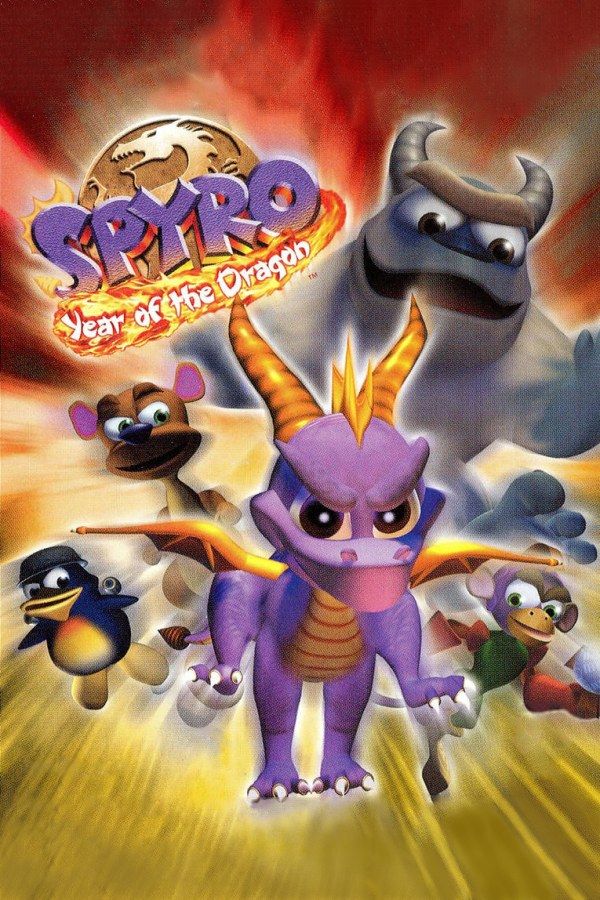
Spyro: Year of the Dragon, released in 2000, was Insomniac Games’ last Spyro game for the PlayStation. During the Year of the Dragon celebration, when new dragon eggs arrive, a rabbit named Bianca steals 150 of them for the Sorceress and scatters them across the Forgotten Worlds. Spyro follows with Sparx and Hunter, and this time new friends join the hunt. If you own the game, Nagori lets you play it on iPhone and iPad.
What you need
- An iPhone or iPad with iOS 17.6 or later.
- Nagori from the App Store. Your first game is free.
- A disc image of your copy of Spyro: Year of the Dragon:
.chd,.cue+.bin,.pbp,.isoor.img, or a.zipor.rarcontaining it. The game fits on a single disc.
No BIOS file is needed.
How to play Spyro: Year of the Dragon on iPhone
- Install Nagori from the App Store.
- Copy your Spyro: Year of the Dragon disc image to the Files app, in iCloud Drive or On My iPhone.
- Open Nagori, tap + and select the file. For a
.cueimage, select the.cuetogether with all of its.binfiles, or add the archive they came in. - Find Year of the Dragon on the PS1 shelf with its box art and press Play.
Controls
Year of the Dragon mixes platforming with skateboarding, speedway flights, swimming and stretches played as other characters. All of it is easier with a stick, so pause, open Settings and set Touch Layout to DualShock or D-Pad + Stick.
On a skateboard or in a speedway your thumb stays on the stick for a long time and tends to slide off it. Open Edit Layout in the pause menu and pinch the stick to make it bigger, up to twice its size, so small drifts of your thumb still steer.
With a controller, every button sits where it did on the PlayStation pad, and you steer with the left stick. Press the left stick to open the pause menu.
Playing as Spyro’s friends
The biggest change from Spyro 2 is that Spyro isn’t the only one you control. Each home world adds a friend, freed once you pay Moneybags enough gems, and each has their own areas and eggs:
- Sheila the kangaroo jumps higher than Spyro.
- Sgt. Byrd, a penguin, flies and fires rockets.
- Bentley the yeti swings a big club.
- Agent 9, a space monkey, fights with a laser blaster.
Sparx gets levels of his own too, viewed from above, where he shoots his way through.
These sections play differently from the rest of the game and take some getting used to. Make a save state as soon as you enter one. If it goes badly, Load and you’re back at its start in a second. The same works for skateboarding challenges and speedways.
Saves
Year of the Dragon keeps your progress, including your egg count, on a memory card. In Nagori, each game has its own memory card, written every few seconds, so those saves work as they did on the console. On top of that:
- Quit any time. Leave in the middle of a level and Continue puts you back exactly where you were.
- Save states. Pause and choose Save before a boss: Buzz, Spike, Scorch and finally the Sorceress. If the fight goes wrong, Load and try again. Nagori keeps your last four saves per game.
Best settings
- Quality: High, the default, renders the game’s 3D at twice the original resolution.
- Precise Geometry, in Advanced Settings, steadies the slight wobble of PS1 polygons, which you’ll notice most at speed in the skate parks and speedways.
- Screen Effects → Bloom adds a soft glow around bright colors. Start on Medium and see if you like it.







