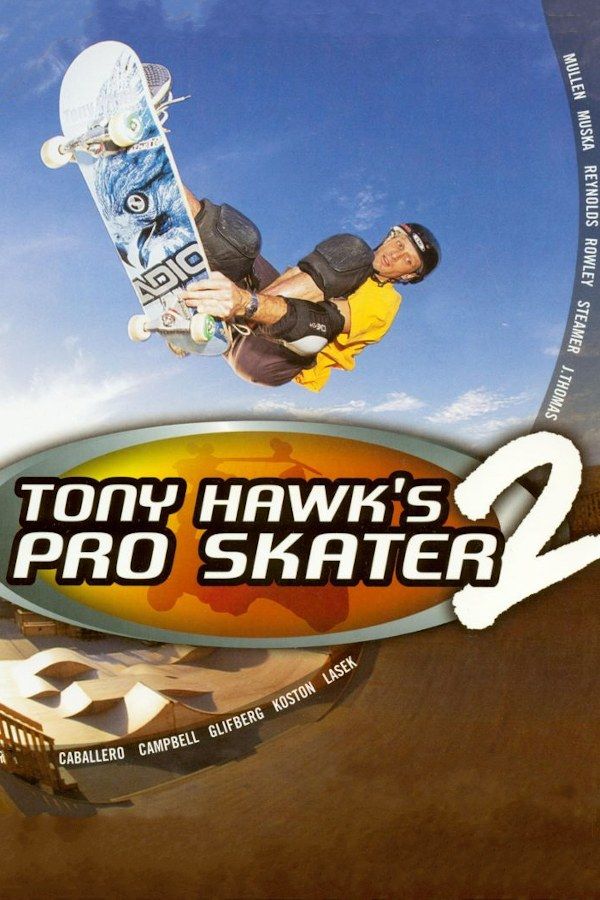
Neversoft’s 2000 sequel sends you through its levels in two-minute career runs, chasing high scores, the letters S-K-A-T-E and other goals that pay cash for better stats and new tricks. It was the first in the series with Create-a-Skater, a park editor and the manual, which links tricks into long combos. If you own the game, Nagori lets you play it on iPhone and iPad.
What you need
- An iPhone or iPad with iOS 17.6 or later.
- Nagori from the App Store. Your first game is free.
- A disc image of your copy of Tony Hawk’s Pro Skater 2:
.chd,.cue+.bin,.pbp,.isoor.img, or a.zipor.rarcontaining it. The game fits on a single disc. - For two-player games, two Bluetooth controllers.
No BIOS file is needed.
How to play Tony Hawk’s Pro Skater 2 on iPhone
- Install Nagori from the App Store.
- Copy your Tony Hawk’s Pro Skater 2 disc image to the Files app, in iCloud Drive or On My iPhone.
- Open Nagori, tap + and select the file. For a
.cueimage, select the.cuetogether with all of its.binfiles, or add the archive they came in. - Find Tony Hawk’s Pro Skater 2 on the PS1 shelf with its box art and press Play.
Controls
Skating here comes down to the D-pad and the four face buttons: X to ollie, Square for flip tricks, Circle for grabs and Triangle to grind, with the direction you hold choosing which trick comes out. A manual is two quick taps on the D-pad, up then down. The Standard touch layout has everything the game uses.
Combos mean a direction and a face button pressed almost together, again and again. Give your thumbs room: pause, open Settings → Edit Layout, make the D-pad and face buttons bigger and drag them to where your thumbs rest.
Long combos are easier on a controller, and every button sits where it did on the PlayStation pad. The left stick works as the D-pad too. Press the left stick to open the pause menu.
Two players
Nagori supports two controllers, so the game’s two-player modes work on one screen. Trick Attack and Graffiti split the screen: in Trick Attack the higher score wins, and in Graffiti each trick you land on a rail, ledge or ramp paints it in your color until the other player claims it with a bigger one. HORSE is played in turns, as in the playground game.
Connect both controllers before you choose the mode. The touch controls hide while a controller is connected, so each player needs one.
Retry runs with save states
Career goals often depend on one clean line through a level: all five letters before the clock runs out, or a score that needs one long combo.
- Save at the start. Pause and choose Save as the run begins. If you miss a letter or bail mid-combo, choose Load and you’re back at the start with the full two minutes. Nagori keeps your last four saves per game.
- Quit any time. Leave in the middle of a run and Continue puts you back with the same time on the clock.
Saves
Your career, the skaters you create and the parks you build are saved to a memory card. In Nagori, each game has its own memory card, written every few seconds, so all of it is still there next time. If you played on another emulator, import its .mcd, .mcr or .srm memory card with Import Saves in the game’s menu.
Best settings
- Quality: High, the default, renders the levels and skaters at twice the original resolution.
- Precise Geometry, in Advanced Settings, steadies the slight wobble of PS1 polygons on rails and ramps.
- Screen Effects → CRT Screen adds scanlines if you want the game to look like it did on a 1990s TV.







